

Vouch for agencies: AI visibility for every client
How agencies use Vouch to show each client where AI assistants stop recommending them in a buying conversation, who takes over, and what to publish next.
Last updated by Vouch
The problem
Your clients have started asking about ChatGPT. "Are we in the AI answers? Why does our rival keep coming up?" You can run a few prompts by hand and screenshot the result, but that is one answer on one day, and it does not tell the client what to do.
The harder part is that a buyer rarely stops at the first answer. They ask for a comparison, then the downsides, then whether the brand is worth the price. A client can be named in the first answer and gone by the fourth, and a screenshot of the first answer hides that.
How Threads answer it
A Thread is one buyer's conversation with an AI assistant, six questions long: Discovery, Shortlist, Objection, Trust, Value and Decision. The first question is a prompt you track for the client; Vouch writes the next five for the client's category and asks them in order, the way a buyer would.
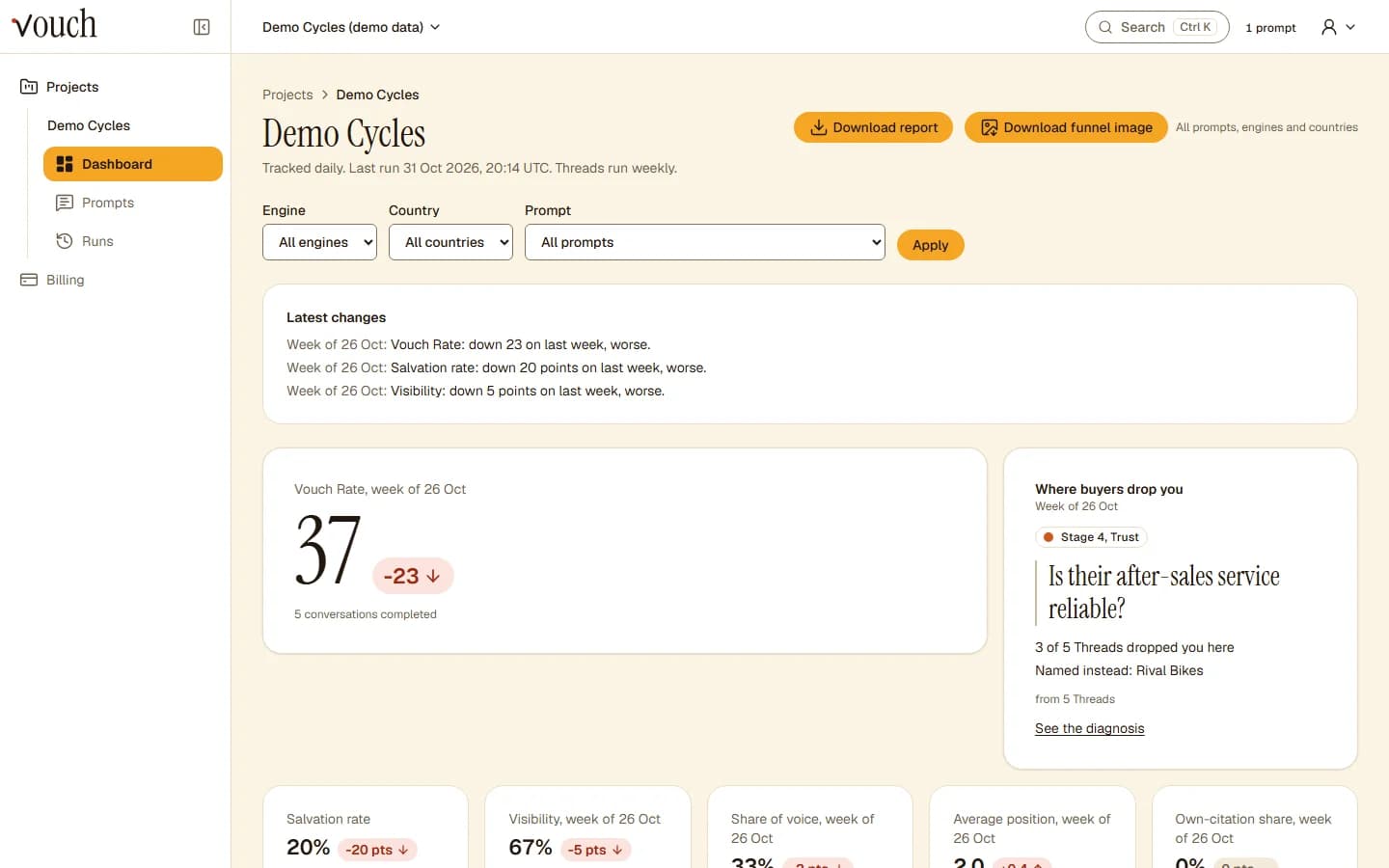
Vouch records the stage where the client stops being named, the follow-up that did it (the killer question), the brands named instead and the sources cited at that stage. Then it suggests what to publish, tied to that stage. That gives you a finding and a next step for each client, not just a visibility number. The methodology explains how each assistant is asked and how a conversation is scored, and killer questions shows what those follow-ups tend to look like.
Each client sits in its own project with its own brand, rivals, prompts and countries, so one client's results never mix with another's. Every project is tracked on ChatGPT, Claude, Gemini, Perplexity, Google AI Overviews, Google AI Mode and Copilot (see the methodology for how each is collected).
With Vouch and without
| Without Vouch | With Vouch |
|---|---|
| Hand-run prompts, one assistant at a time | Daily tracking on seven assistants for every client project |
| A screenshot of the first answer | Six-stage Threads that show where the client drops out |
| "A rival came up" | The brands named instead, and the sources cited at that stage |
| A slide of guesses for the client | Recommendations tied to the stage where the client is lost |
| A summary you assemble by hand each month | An HTML report you can download and send |
Start in three steps
- Add the client's brand and its main rivals as a project.
- Add the prompts the client's buyers ask, for each country you track.
- Read the first Threads: find the stage where the client drops out and who takes over.
See the pricing page for what each plan includes.
Common questions
How many clients can an agency track in Vouch?
Each client is a project. The Agency plan includes 15 projects, 300 tracked prompts, 10 countries, 60 Thread slots and 20 seats. The Pro plan includes 3 projects. The pricing page lists every plan's limits.
Can I share results with a client?
Yes. Every paid plan can download an HTML report for a project, which you can send to the client. Vouch has no CSV export and no alerts today.
Which assistants does Vouch cover?
Vouch tracks ChatGPT, Claude, Gemini, Perplexity, Google AI Overviews, Google AI Mode and Copilot on every plan. Threads, the six-question buyer conversations, run on ChatGPT, Claude, Gemini and Perplexity. The methodology page explains how each one is asked.
Can I get access today?
Vouch is invite-only for now. Join the waitlist on this page and we will email you when there is a place.